
Front of House
Keep the next table in view.
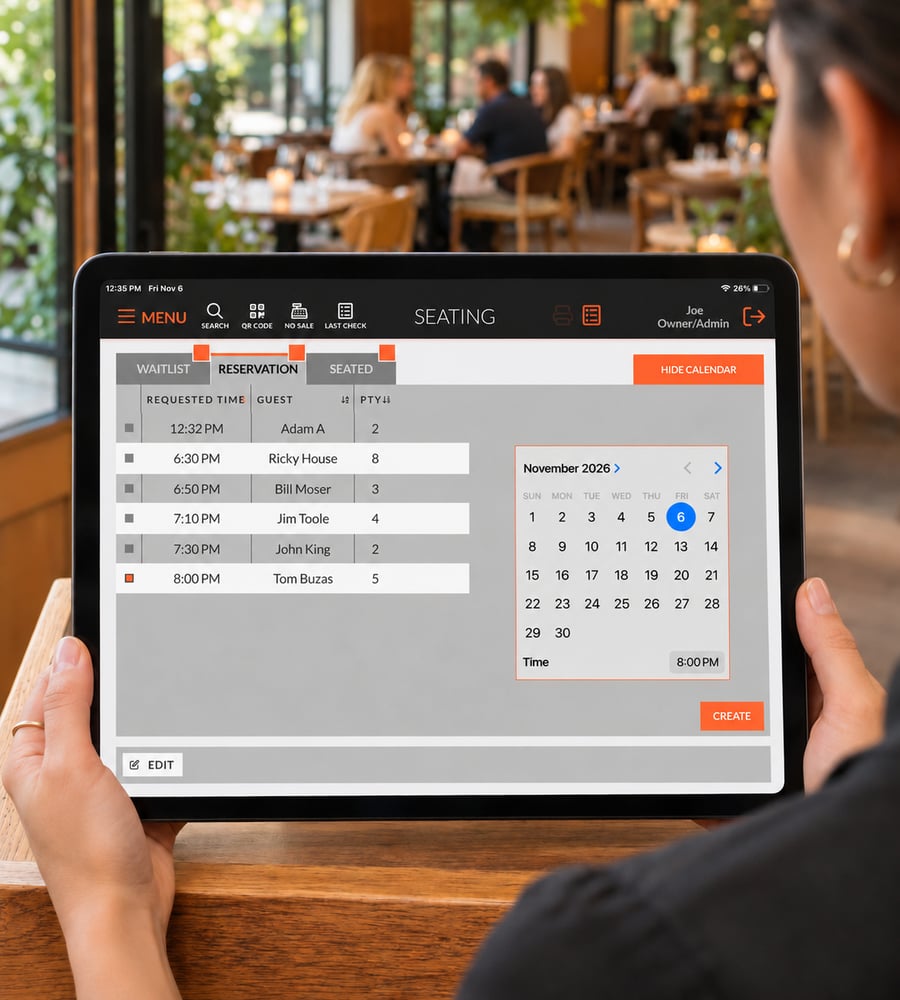
Manage reservations and your waitlist from EDGESERV®, with guest arrivals connected to the system your team already uses.
-
Booked Ahead or Just Walked In: Keep reservations and waiting parties organized in your POS. Give the host stand a place to manage who’s expected and who’s waiting to be seated.
-
See Where to Seat the Next Party: View table status and availability alongside your seating workflow, so your team can plan the next seating with the dining room in view.
-
Let Guests Know Their Table is Ready: Send a text when it’s time to come to the host stand. Guests can wait nearby while your team keeps seating moving.
Questions about reservations?
How are reservations and waiting parties connected to the floor plan?
The operator can select a table from the floor plan. Currently, this is for informational purposes only.
Can guests book a table through my website?
This is not currently an available option.
How are guests notified when their table is ready?
Guests are notified via text message.
Walk through the next seating.
See reservations and waitlist management in an EDGESERV® demo.